
Show an option only when another is chosen
Some options only make sense after another answer. The font only matters once a customer checks “Add engraving”. The card message only matters with a card. In OptionKit, an option can wait until the answer it depends on is chosen, so customers only see what applies to them.
Updated October 2026 · Squarespace 7.1
Step by step
- On the builderThe OptionKit web page where you create your options and see a live preview. It has two tabs: Options, where you build, and Setup, with the Setup guide for putting OptionKit on your store.’s Options tab, open the option that should wait, like “Font”.
- Under Shows when, set Show this option to Only in some cases.
- A rule appears. Its first menu names the option it depends on (it starts with the option just above). Pick the one you want, like “Add engraving”.
- Its second menu says what that answer must be: is checked, is a certain choice, is filled in, is more than a number, and so on.
- Look at the live preview: the option hides until you give that answer there.
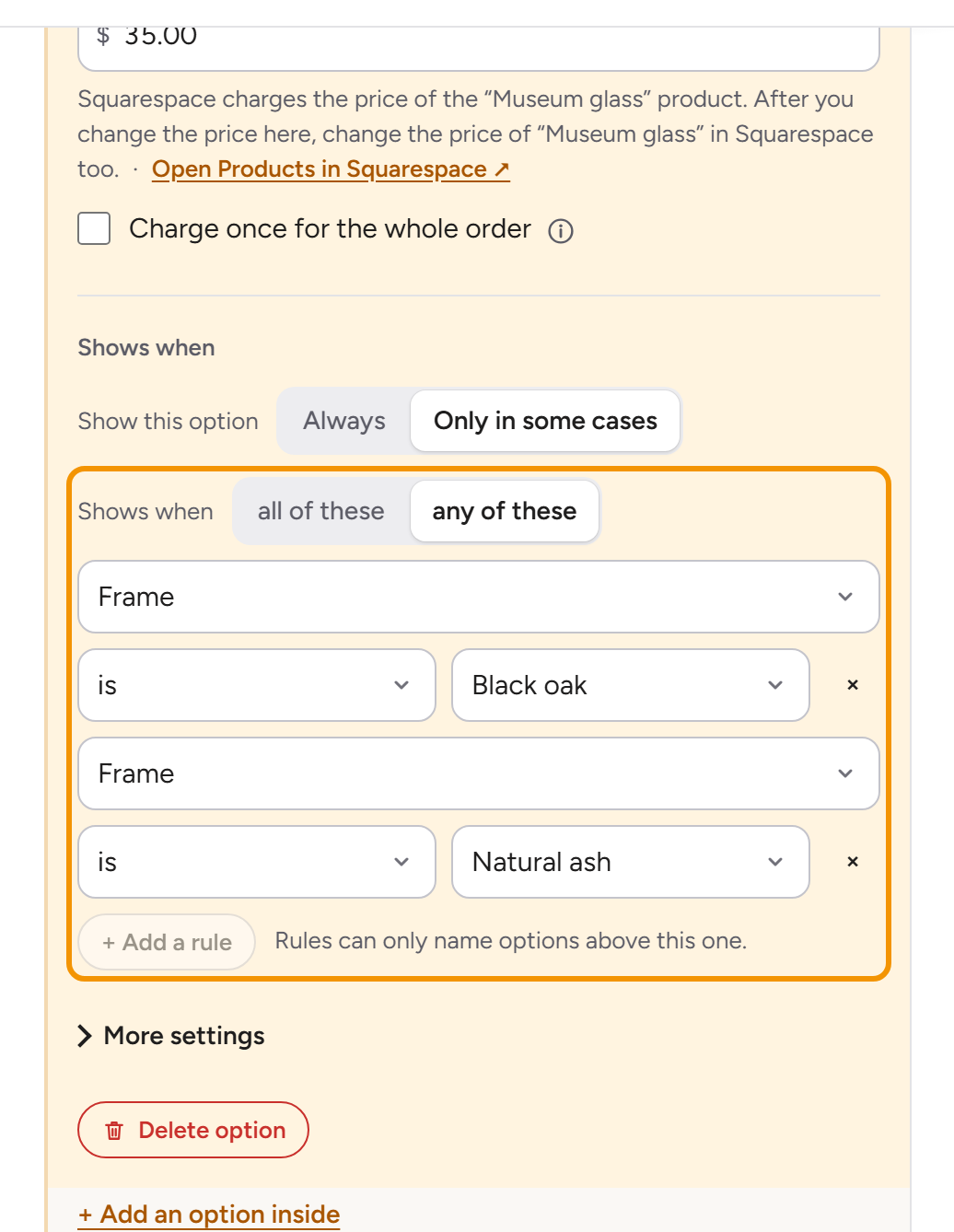
A rule can only name an option above it, because customers fill the page in from the top. So the first option has no rule to set: it says Always shows. For several rules, use + Add a rule, then choose Shows when all of these or any of these.
A quicker way: on the option it depends on, use + Add an option inside. It opens the same menu of kinds, with Shows when and the answer first, and the new option starts with the rule already set, and the list shows it indented under its option, with a “Shows when” label above.
Three common patterns
“Yes, and…”
A checkbox with details after it. “Add engraving” (a checkbox), then “Engraving text” and “Font”, each shown when Add engraving is checked.
“It depends on the choice”
Different follow-ups for different answers. “Size” (Small, Medium, Large), then “Extra tier flavor” shown when Size is Large.
“Only if they wrote something”
A follow-up once text is typed. “Gift message”, then “Card style” shown when Gift message is filled in.
The guide to conditional product options has more examples.
What happens to a hidden option
While an option is hidden, it isn’t asked: a required option only counts as required when it shows. Its answer isn’t on the order and its price isn’t charged. If a customer answers it and then changes their mind about the answer it depends on, the hidden answer is left out.
Questions
Why can’t I pick an option further down in a rule?
Customers fill in options from the top, so an option can only depend on one above it. Move the option below the one it depends on (drag it by its handle), then add the rule.
The builder says a rule covers every case. What does that mean?
The rule is true for every answer, like “Size is Small or Medium or Large”, so the option always shows. The builder offers Remove rule. If “Size” itself shows only sometimes, the option shows whenever “Size” shows; the builder says so and offers Move inside instead.
The builder says a rule can never happen. What does that mean?
No customer can meet the rule, like “Size is Small” and “Size is Large” both at once, or a number above the most customers can choose, so the option would never show. Change or remove a rule; until then the builder won’t update your store.
Can two options depend on each other?
No, because then neither would ever show. The builder doesn’t offer a rule that would do that. If a setup from before has one, it says which rule to remove.